SSR with Node.js and Pug
Introduction
We’ll be going to see how we can create a server-rendered template using a templating engine pug in this article.
About PUG
Pug is a popular templating engine with your favourite JavaScript libraries and frameworks. Formerly known as Jade, this engine allows developers to write clean, concise, and reusable HTML.
You can read more about pug here
To read more about SSR visit this article
Step-by-Step Guide to Implement Pug
Step 1: Install Node.js
- Install Node.js from its official website
- Verify installation by using command
node -v
Step 2: Create a Node project
- Create a project folder and
cdinto it. - Run the given command to initialize a node project
npm init -yThis command will create a package.json file
Step 3: Install express and pug
npm install express pugStep 4: Create a Server and Run it
- Create a
server.jsfile - Put the code in your server file
- Run
node server.jsfrom your terminal to start the application at8000port. You can use another port if this one is occupied
const express = require('express');
const path = require('path');

const app = express();

// Route to render homepage
app.get('/', (req, res) => {
 res.json({ message: 'Welcome to Express Server' });
});


// Start server
app.listen(3000, () => {
 console.log('Server running on port 3000');
});
Step 5: Setting up PUG
- Setting the
pugas the view engine - Create a
viewsdirectory - Create a template file
index.puginside the views directory and return once the request comes on the server
// Server.js
// Set the view engine to Pug
app.set('view engine', 'pug');

// Set the views directory
app.set('views', path.join(__dirname, 'views'));

// Route to render homepage
app.get('/', (req, res) => {
 // return index.pug with title and message
 res.render('index', { title: 'Home Page', message: 'Welcome to SSR' });
});
// Rest Code
// views/index.pug
doctype html
html
head
title= title
body
h1= message
p Welcome to my Express applicationComplete Code
Here’s what the complete code looks like
const express = require('express');
const path = require('path');

const app = express();

// Missing Configuration: Set the view engine to Pug
app.set('view engine', 'pug');

// Set the views directory
app.set('views', path.join(__dirname, 'views'));

// Route to render homepage
app.get('/', (req, res) => {
 res.render('index', { title: 'Home Page', message: 'Welcome to SSR' });
});

// Start server
app.listen(3000, () => {
 console.log('Server running on port 3000');
});
// views/index.pug
doctype html
html
head
title= title
body
h1= message
p Welcome to my Express applicationTest the Setup
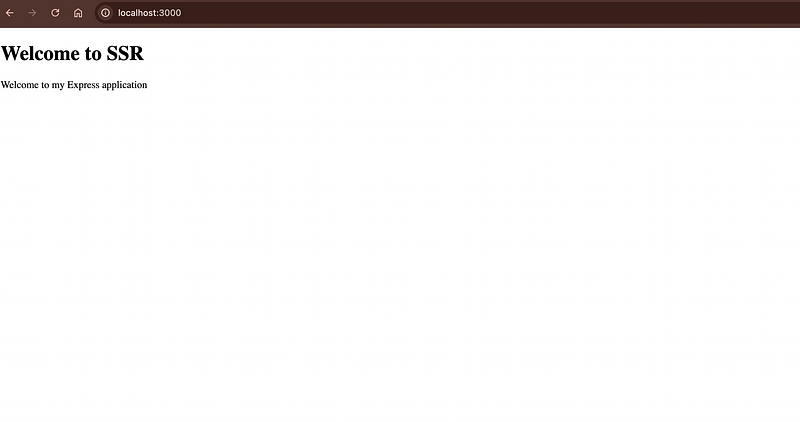
Go to http://localhost:3000 and you’ll be getting the title and message on the browser as visible in the attached image.
Conclusion
This is the basic setup overview of how SSR can be performed in Node.js and a basic template engine setup with a get route. You can create more routes and test your complete application similarly.