Day 24: Fine-Tuning vs Prompt Engineering
How to choose between better prompts, better data, and a custom model when building real AI apps.
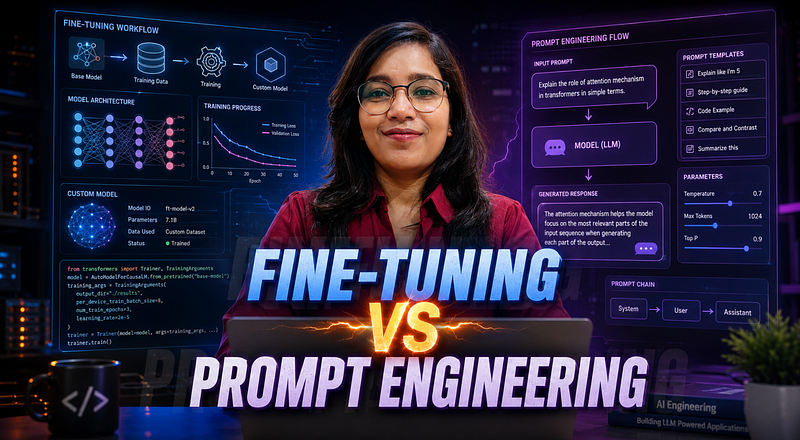
Most developers don’t need fine-tuning when they think they do.
That was the first mistake I made while building AI features. The model gave inconsistent answers, missed the tone, ignored formatting rules, and sometimes returned JSON that broke the frontend.
My first thought was simple: “Maybe I should fine-tune the model.”
But after debugging a few real AI apps, especially RAG systems and document-based chatbots, I realised something uncomfortable.
The model was not always the problem.
- Sometimes the prompt was vague.
- Sometimes the context was bad.
- Sometimes there was no evaluation system.
- And sometimes, yes, fine-tuning was the right answer.
The hard part is knowing which one you actually need.
The Real Problem Is Not “Bad Output”
When a model gives poor output, developers usually say:
“The AI is not smart enough.”
But in production, “bad output” can mean many different things:
- The answer is factually wrong.
- The format is inconsistent.
- The tone does not match the product.
- The model ignores business rules.
- The response is too long.
- The model fails on edge cases.
- The output changes between similar requests.
All of these feel like one problem from the outside.
Inside the system, they are different problems.
That distinction matters because prompt engineering and fine-tuning solve different types of failures.
Prompt Engineering: Fix the Instructions First
Prompt engineering means improving the input you send to the model: instructions, examples, context, constraints, and output format.
At first glance, this sounds basic. But in real projects, prompt design is often the fastest way to improve quality.
Here is a weak prompt:
const prompt = `
 Summarize this resume and give feedback:
 ${resumeText}
`;
This may work once. Then it fails on another resume.
A better version is more specific:
const prompt = `
You are reviewing a software engineer resume.
Return feedback in this JSON format:
{
 "summary": string,
 "strengths": string[],
 "issues": string[],
 "rewriteSuggestions": string[]
}
Rules:
- Focus on clarity, impact, metrics, and technical relevance.
- Do not invent experience.
- If a section is missing, mention it clearly.
- Keep each suggestion practical.
Resume:
${resumeText}
`;
This matters because the model now knows:
- What role it should play
- What output structure is expected
- What rules it must follow
- What not to do
Most beginner AI apps fail here. The prompt is treated like a casual message instead of an API contract.
Few-Shot Prompting: The Small Trick That Often Delays Fine-Tuning
The most useful prompt engineering technique I’ve used is few-shot prompting.
Instead of only telling the model what to do, you show it examples.
const prompt = `
Classify the user request into one category:
- billing
- technical_support
- account
- general
Examples:
User: "I was charged twice this month"
Category: billing
User: "My API key is not working"
Category: technical_support
User: "I want to change my email"
Category: account
Now classify:
User: "${userMessage}"
Category:
`;
This is where things get interesting.
Few-shot examples are like temporary training data inside the prompt. They do not change the model permanently, but they guide behaviour for that request.
For many use cases, that is enough.
Use prompt engineering when:
- You are still experimenting.
- You do not have enough labelled examples.
- The task changes often.
- You need fast iteration.
- You want to keep the system easy to debug.
The catch is the token cost. If you keep adding more examples, your prompt becomes longer, slower, and more expensive.
That is where fine-tuning starts to become attractive.
Fine-Tuning: Teach the Model a Repeated Pattern
Fine-tuning means training a model on many examples of the behaviour you want.
Instead of sending examples in every prompt, you create a dataset once and train a custom version of the model.
A simple supervised fine-tuning dataset usually looks like this:
{"messages":[{"role":"system","content":"You classify support tickets."},{"role":"user","content":"I was charged twice this month."},{"role":"assistant","content":"billing"}]}
{"messages":[{"role":"system","content":"You classify support tickets."},{"role":"user","content":"The dashboard is not loading."},{"role":"assistant","content":"technical_support"}]}
{"messages":[{"role":"system","content":"You classify support tickets."},{"role":"user","content":"How do I reset my password?"},{"role":"assistant","content":"account"}]}
This matters when the behaviour is stable and repeated.
For example:
- Classifying thousands of support tickets
- Rewriting product descriptions in one brand style
- Extracting structured data from similar documents
- Enforcing a very specific response format
- Reducing a long few-shot prompt into a shorter request
Fine-tuning is not magic memory. It does not automatically know your latest database records. It is better for behavior patterns, not fresh facts.
For fresh facts, RAG is usually better.
The Mistake: Fine-Tuning Before Evaluation
Most tutorials skip the boring part: evaluation.
But without evaluation, you are guessing.
I made this mistake myself. I kept changing prompts because one output “felt better.” Then another test case broke.
A basic evaluation file can be simple:
const testCases = [
 {
 input: "I was charged twice",
 expected: "billing"
 },
 {
 input: "The app crashes after login",
 expected: "technical_support"
 },
 {
 input: "I want to update my email",
 expected: "account"
 }
];

function evaluate(predictions) {
 let correct = 0;
 for (let i = 0; i < testCases.length; i++) {
 if (predictions[i] === testCases[i].expected) {
 correct++;
 }
 }
 return {
 accuracy: correct / testCases.length,
 total: testCases.length
 };
}
This code is not fancy. That is the point.
Before asking “Should I fine-tune?”, ask:
- What are my test cases?
- What does success mean?
- Which inputs fail repeatedly?
- Are failures caused by missing context, unclear instructions, or model behavior?
This small step changes the entire decision.
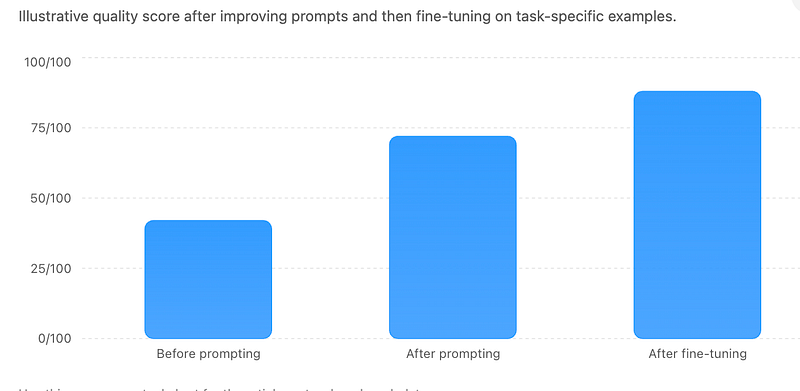
When Prompt Engineering Is Not Enough
Prompt engineering starts to break when your prompt becomes a growing manual.
You keep adding rules:
Do this.
Don't do that.
Use this tone.
Never use this phrase.
Return this format.
Here are 20 examples.
Here are 15 edge cases.
At some point, the prompt becomes harder to maintain than the code.
That is usually a signal.
Fine-tuning may be worth considering when:
- The same task runs at high volume.
- You have many high-quality examples.
- The desired behavior is stable.
- Prompt examples are becoming too long.
- Format consistency matters a lot.
- You can measure improvement with evals.
But do not fine-tune for things that change every week.
For example, a company policy chatbot should not be fine-tuned on policy text if the policy changes often. Use retrieval. Store the policy in a database, vector index, or document store, then pass the latest context into the prompt.
The Surprising Payoff
The biggest lesson for me was this:
Fine-tuning is not the upgrade from prompt engineering. Evaluation is.
Without evals, prompt engineering is guesswork. Fine-tuning is expensive guesswork.
Once you have evals, the decision becomes clearer.
- If better instructions fix the failures, stay with prompts.
- If better context fixes the failures, build retrieval.
- If the same behavior keeps failing across many examples, then fine-tuning starts to make sense.
That is the order I trust now:
Prompt → Examples → Retrieval → Evaluation → Fine-TuningNot the other way around.
Reflection: What Changed After Understanding This
After building a few AI features, I stopped seeing prompts as temporary text.
A prompt is part of the system design.
- It controls behavior.
- It affects cost.
- It affects latency.
- It affects debugging.
- It affects user trust.
Fine-tuning also became less mysterious. It is not something to use because the model made one bad response. It is something to use when you have a repeated, measurable, well-understood pattern.
That shift makes AI development feel less random.
You stop asking, “Which technique is more powerful?”
You start asking, “Which failure am I actually trying to fix?”
That question saves a lot of wasted work.
Final Takeaways
Prompt engineering is usually the best starting point. It is fast, flexible, and easy to debug.
Fine-tuning becomes useful when you have stable behavior, enough quality examples, and a clear evaluation process.
For most full-stack AI apps, the practical path looks like this:
- Start with a clear prompt.
- Add examples.
- Add retrieval if the model needs external data.
- Build evals.
- Fine-tune only when repeated failures remain.
The real skill is not choosing fine-tuning or prompt engineering.
The real skill is diagnosing the failure correctly.
Before fine-tuning your next AI feature, ask yourself: is the model failing, or is the system around the model incomplete?
Upcoming
From Dev Simplified
- 👏 Enjoyed the article? Don’t forget to leave a clap.
- 💬 Have thoughts or questions? Share them in the comments.
- ✍️ Want to write for Dev Simplified? Drop a personal note on any Dev Simplified story with your draft link.