Canva Just Launched “Vibe Designing” — Here’s What It Means for Creators
Canva’s new AI design tool makes creativity ridiculously simple.
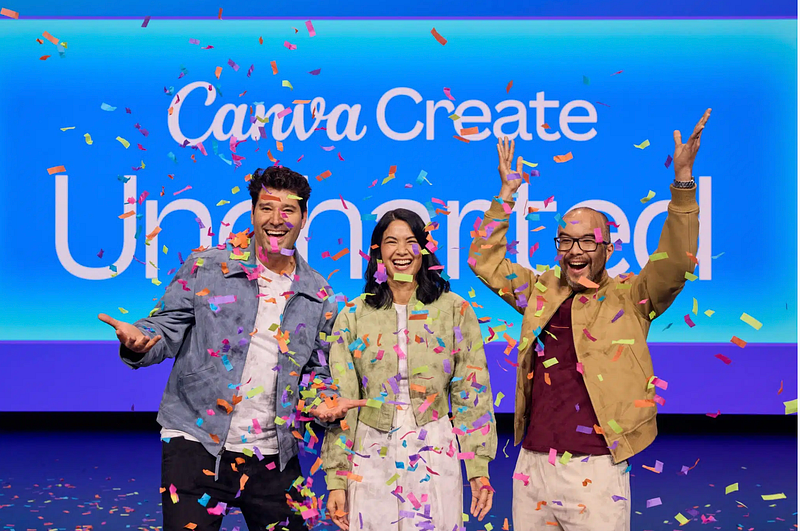
At the recent Canva Create 2025 event held at SoFi Stadium in Los Angeles, Canva dropped its most significant product update since its founding in 2012: Visual Suite 2.0.
Central to this update is the introduction of ‘Vibe Designing’, an extraordinary feature aimed at transforming the way users approach design by focusing on the overall feel or ‘vibe’ of their projects.
Unified Design Experience with Visual Suite 2.0
Previously, creating different types of content — be it presentations, documents, social media posts, or websites — required separate files.
With Visual Suite 2.0, Canva introduces the ability to have an all-in-one, unified design file. This feature allows users to manage all different aspects of a project, from brainstorming notes to final presentations, within one unified space.
“For the last decade, we’ve been bringing productivity and creativity closer together,” said CEO Melanie Perkins. “At Canva Create, we are extraordinarily excited to take that to the absolute next level.”
She explained that a user no longer needs to live in fragmented documents “Your brief and your brainstorming, your budget and your pitch… can literally be in the same design,” said Perkins
“Rather than juggling separate files for financial statements, forecasts, and executive presentations, teams can now get on the same page.”
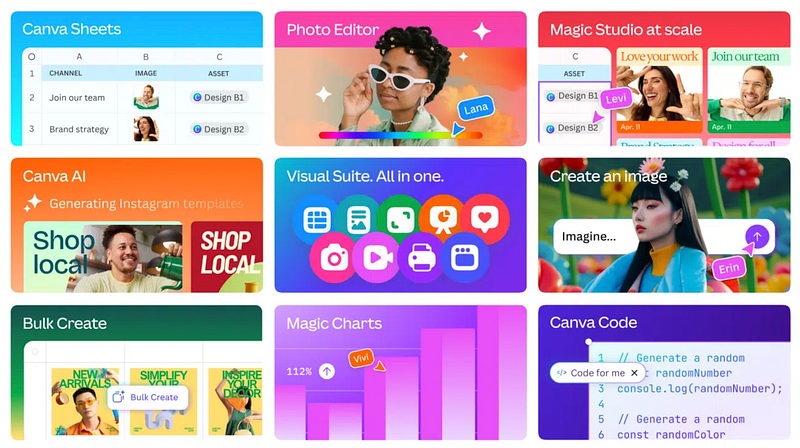
Introducing Canva Sheets: Merging Data with Design
Data is one of the most important aspects, whether it's charts, reports, dashboards, or infographics, data is the core of all this. Canva is now striking at the right ball to use it effectively. Platforms are either visual-centric or data-centric, now Canva is bringing both together in one platform, which evn Google and Microsoft tackled by Sheets and Excel.
Recognising the importance of data in storytelling, Canva launched Canva Sheets, a native spreadsheet tool designed to be visual-first and also data-focused.
Unlike traditional spreadsheets, Canva Sheets allows the inclusion of images and designs within cells, making data more engaging and accessible. Key features include:
- Magic Write: AI-powered data generation.
- Magic Insights: Automated analysis and chart suggestions.
- Magic Formulas: Translates plain language requests into spreadsheet functions.
Canva Sheets also supports integration with platforms like Google Analytics, HubSpot, Snowflake, and Statista through Data Connectors, ensuring seamless data incorporation into designs.
Anyone Can Code
Perkins said that Canva wanted to democratise coding’s “incredible superpowers” like interactivity and automation and for this Canva has introduced Canva Code, which allows user with no technical experience to generate functional, interactive widgets- think calculators, quizzes or maps using simple text prompts.
Perkins described the internal excitement about the product, saying, “It enables you to go from an idea to interactivity with just a simple prompt in just a couple of minutes…”
Empowering Creators with ‘Vibe Designing’
The introduction of ‘Vibe Designing’ shows Canva’s commitment to enhancing creativity and productivity for its 230 million monthly active users. By focusing on the overall mood and feel of designs, Canva aims to make the design process more intuitive and emotionally resonant, easily doable, and catering to both seasoned designers and newcomers.
What are your thoughts about Canva’s latest release?
Do share it in the comments section below 👇
At Dev Simplified, We Value Your Feedback 📊
👉 Want to write with us? Join us on our whatsapp channel
👉 Have any suggestions? Let us know in the comments!